
Management intelligence for healthcare
Understand your HMO’s financial position.
Work through what needs attention.
Follow a cost movement from the comparison into its supporting records. Check the explanation, retain what remains unresolved and prepare a clear report for management review.
Interactive demonstration using fictional HMO data.
Private portfolio · Reconciled baseline
The financial position, with its basis in view.
Records at
31 August 2025
Amount remaining is before administration, commissions and other operating costs. It is not net profit.
What needs attention?
Check whether the reported outpatient increase holds up against the records.
One question, worked through
Is the reported increase as large as it appears?
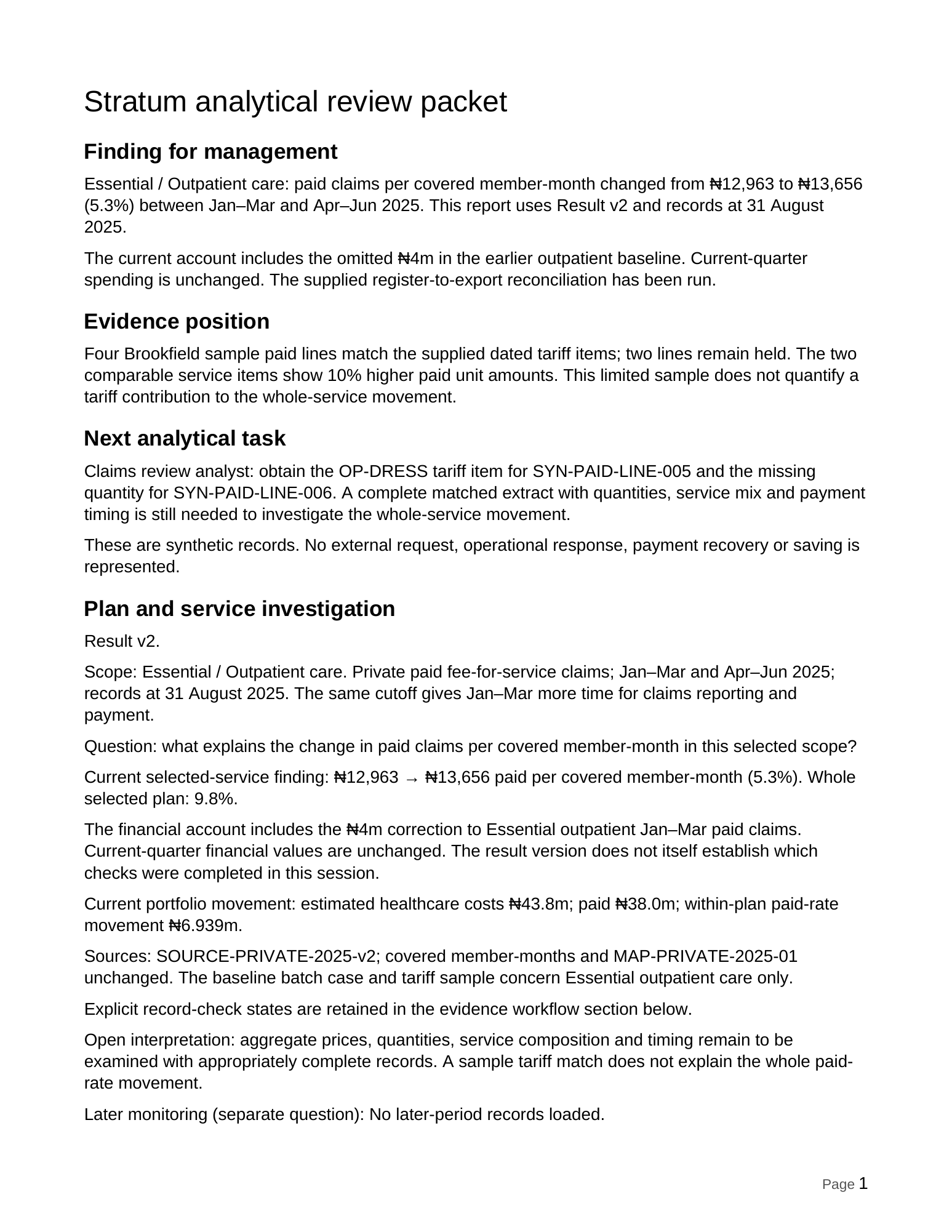
In the fictional Essential health plan, outpatient paid claims per covered member-month initially rise by 22.9%. An earlier record changes the comparison.
A missing earlier batch changes the answer.
The paid register contains four earlier batches totalling ₦28m. The original export contains three totalling ₦24m. Stratum’s walkthrough lets the reviewer inspect the records, check the omission and explicitly apply the supported correction.
The result is a more reliable comparison for management. It is not a saving, recovery or reduction in current spending.
The omitted ₦4m belongs to the earlier period. Current-quarter spending is unchanged.
A useful outcome
Take a clear account into management review.
Keep the finding, supporting evidence and next checks together in an editable Word report. The report can support the discussion even when part of the explanation remains open.
- Finding
- The supported baseline correction changes the reported increase from 22.9% to 5.3%.
- Evidence position
- The earlier register and export differ by one ₦4m batch. The separate tariff sample has four matched lines and two unresolved lines.
- Next analytical task
- Obtain the missing tariff and paid quantity, then inspect a broader complete extract before explaining the full movement.
Editable document export. No Microsoft 365 integration is implied.
Familiar management questions
Start with the concern. Keep its context.
Where does the financial position stand?
See revenue, estimated healthcare costs and what remains before operating costs.
Which health plan or service needs a closer look?
Narrow the paid-claims comparison while keeping the covered population in view.
Is the reported increase reliable?
Inspect the records behind it and apply a supported correction explicitly.
What still needs checking?
Keep a limited finding useful without treating unresolved evidence as a complete explanation.
One account, different ways to review
Brief first. Inspect when you need to.
The Briefing is the starting point. The Account and Presentation offer other ways to examine the same question, result and evidence.
01 / Start here
The Briefing
Read the position, the finding and the questions that need attention.
02 / Look closer
The Account
Inspect the comparison, supporting records, corrections and open checks.
03 / Discuss together
The Presentation
Walk through the same account in a guided management discussion.
Working with your organisation
Begin with an agreed question and useful outputs.
Agree the comparison, source definitions and review responsibilities. Build toward a supported finding, a record of what is still needed and a report the team can use.
Data access, integrations, refresh arrangements and shared working are confirmed for each implementation. The current walkthrough demonstrates the analytical work with fictional records.
Stratum Core Systems
Management intelligence software for healthcare.
Stratum Intelligence connects HMO financial comparisons, source records, cost investigation and management review. HMOs and health insurers are the current focus; other healthcare settings are at earlier stages.
Start with one management question
See the work in a 30-minute walkthrough.
Follow an HMO question through its records to an editable review packet, then discuss fit with your organisation. No dataset is needed.